Drag a booking across days
Week and month views let you drag a booking to another day, click any empty day to create one, and open the full booking from a card.
A calendar and admin-shell redesign: a collapsible sidebar, week and month views you can drag bookings across, technician swimlanes, a Customers section, and a reply-to that points at your shop.
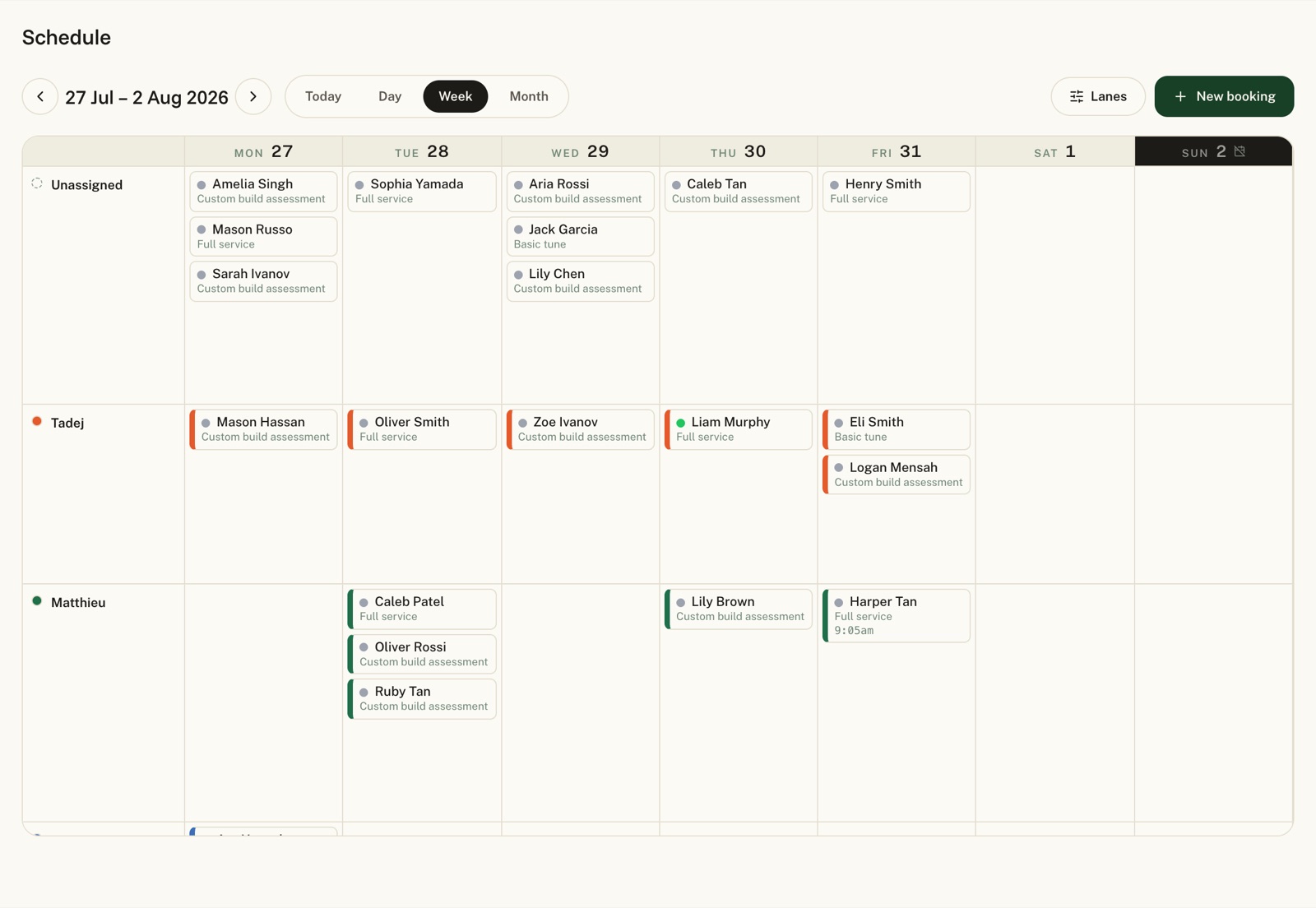
Week and month views let you drag a booking to another day, click any empty day to create one, and open the full booking from a card.
A collapsible sidebar with grouped nav (Workshop, Customers, Catalogue), a wider working area, technician swimlanes in week view, and a month colour-coded by mechanic.
Each customer's per-shop service history in one place.
Customer emails set Reply-To to your shop's own contact inbox, with a reply-to field in Settings.
Customers can't reschedule or cancel once a job is marked ready or done.
Calendar job-stage colours match across day, week and month.
Customer email matches literally instead of as a pattern. Customer SMS stays paused pending alphanumeric sender approval.
Email alex@velobook.app. Half the entries on this page started as a one-line note from a shop. We ship in the order shops ask.
Velobook uses essential browser storage to keep you signed in, remember which shop you are working in, and route custom domains. With your permission, we also use Google Analytics to understand how people use Velobook. Advertising trackers are always off. Choose what is okay with you.
Read our privacy policy.